What it does
- Recipes and scaling
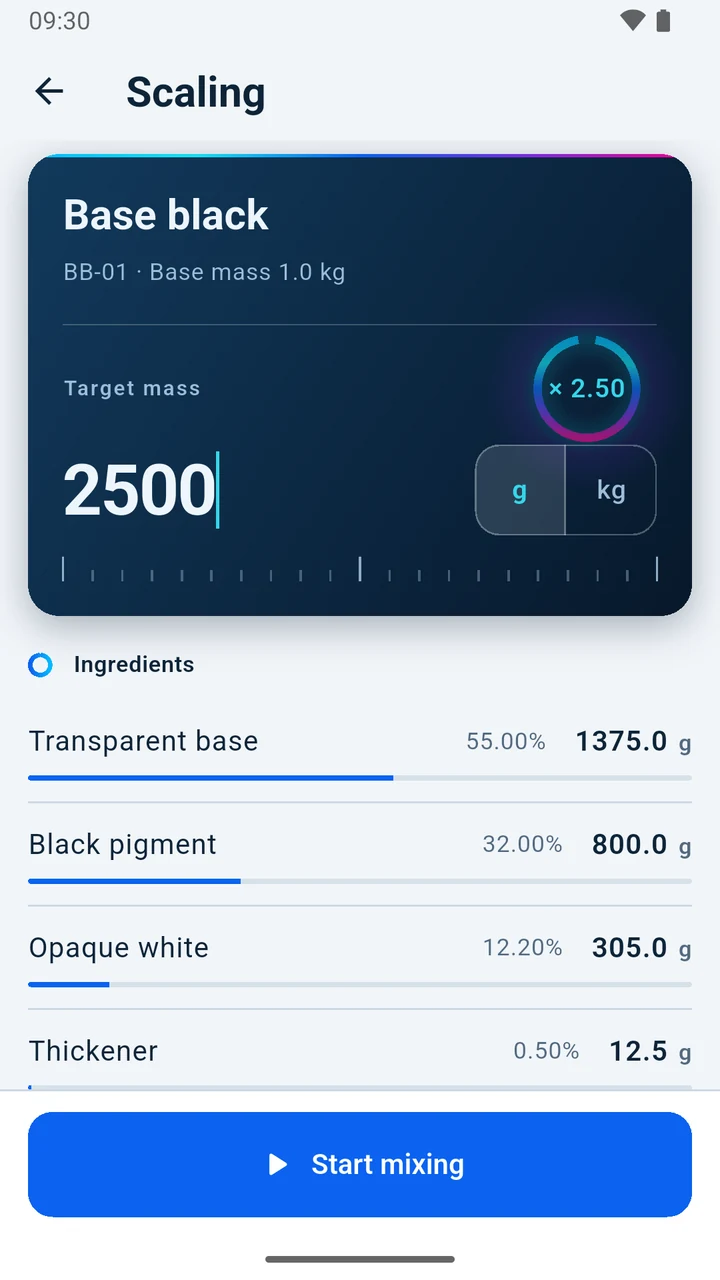
- Record ingredients and their amounts. Enter a target mass and the app works out how much of each ingredient you need.
- Guided mixing
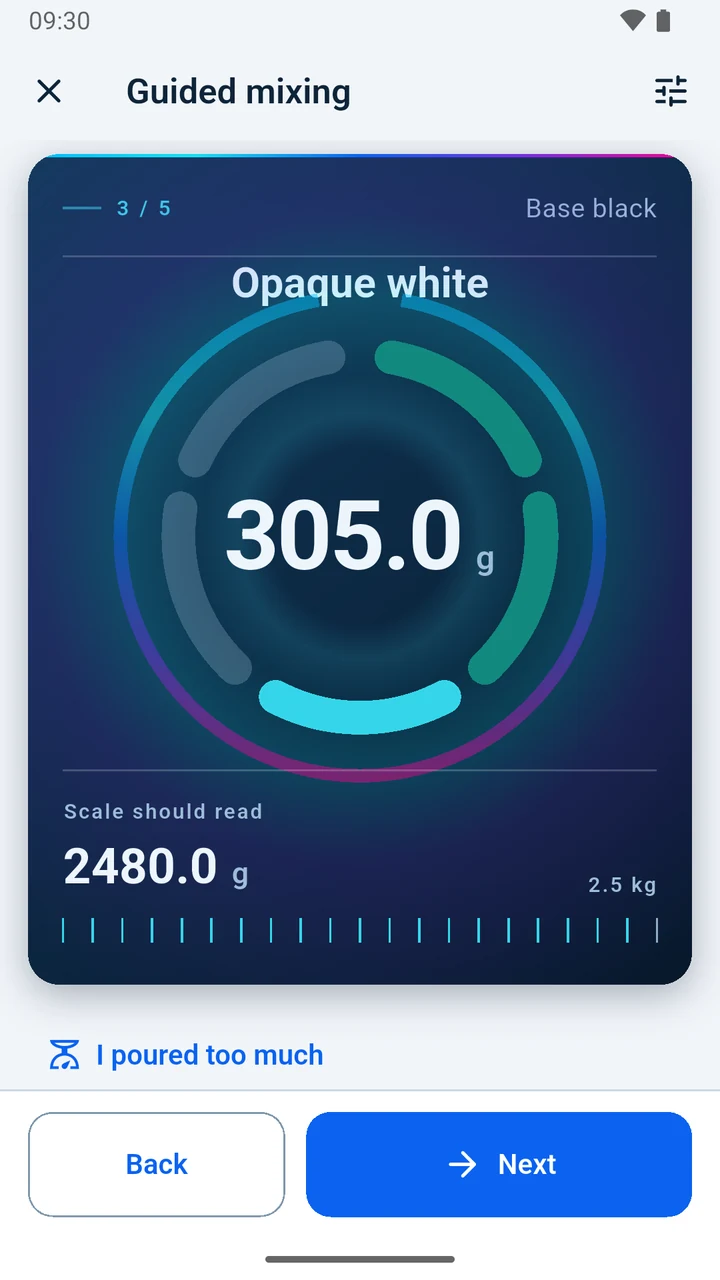
- At each step you see how much to add and what the scale should read. If you pour too much, enter what the scale shows and the app enlarges the batch to keep the proportions.
- History, cost, stock
- Every batch is kept in the history with its date and mass — and its cost, if your ingredients have prices. Stock shows how much of each ingredient you have and how that has changed.
Your data
Your data stays on the phone: there is no account and no server, and the app sends nothing on its own. Only what you export or share yourself leaves the phone.
The backup file is not encrypted. Store it with care.
What InkBatch does not do
It does not judge whether a mixture is safe, does not match colours, and does not replace the manufacturer’s instructions or safety data sheets.
It calculates on the data you enter. You are responsible for its accuracy.
Support
How to report a bug, make a backup, and restore or delete your data.
Have an idea to improve InkBatch? Send it in.